Programmes
Programmes are the main building blocks of the Tute Platform. They are the containers for all the other entities. Each Programme has a name, a type, a start date and an end date.
The Programmes table shows all the Programmes in your school. You can see the number of lessons, the status of the programme and the progress in percentage.
Table Pagination
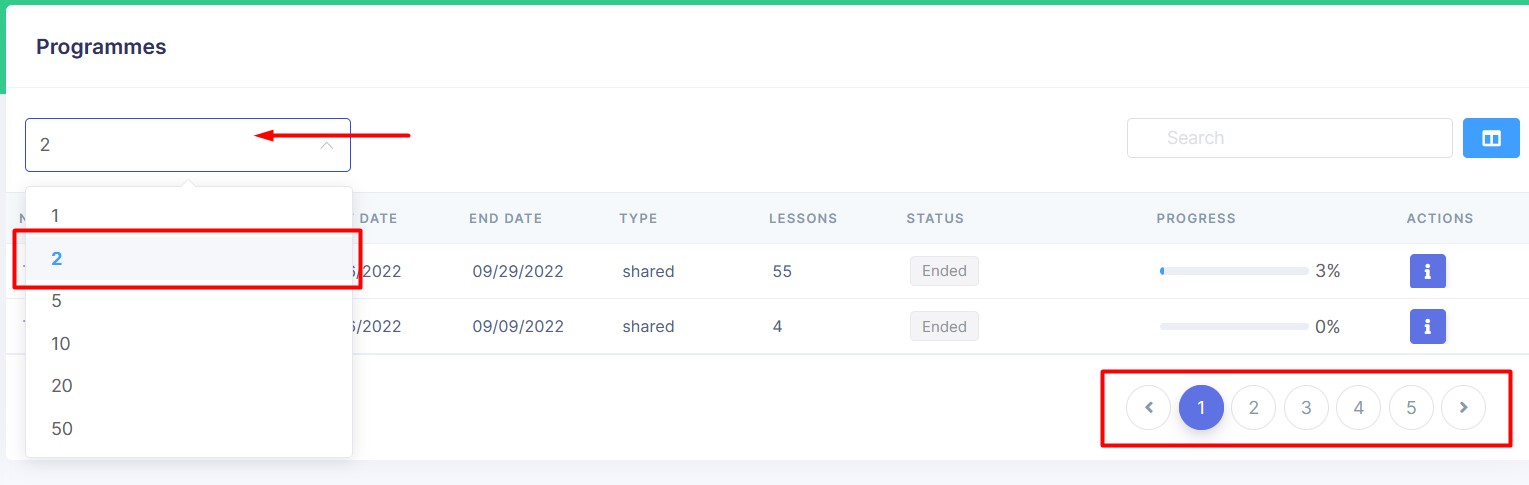 The table is paginated. You can change the number of rows per page by clicking on the dropdown menu in the top left corner of the table.
Most of the tables in the Tute Platform are paginated. From now on, we will not mention pagination in the documentation.
Navigate to Programme Details
Once you click on a Programme name (in the first column) it will open the Programme Details page. Same can be done by clicking on the 'info' icon in the Actions column.
Programme Details Page
From the Programme Details page you can see the Programme's name, customer, subject, key stage, year group and notes.
The Programme Details page is divided into three subsections: Summary, Groups and Lessons. Clicking on the subsection name will open the subsection.
You can close the Programme Details page by clicking on the 'close' hyperlink in the bottom left corner of the page.
Summary
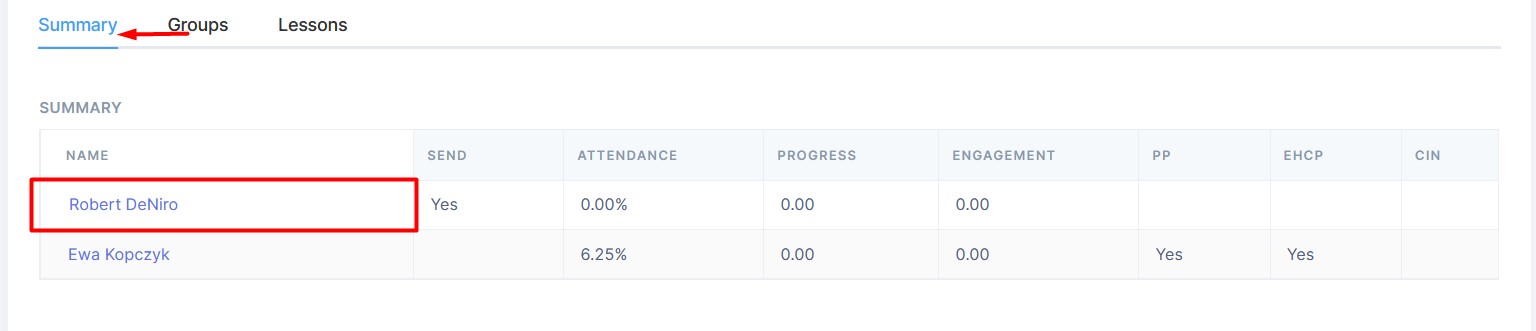
The Summary table shows data for each Student in the Programme. A click on the Student name will open the Student Details page.
Groups
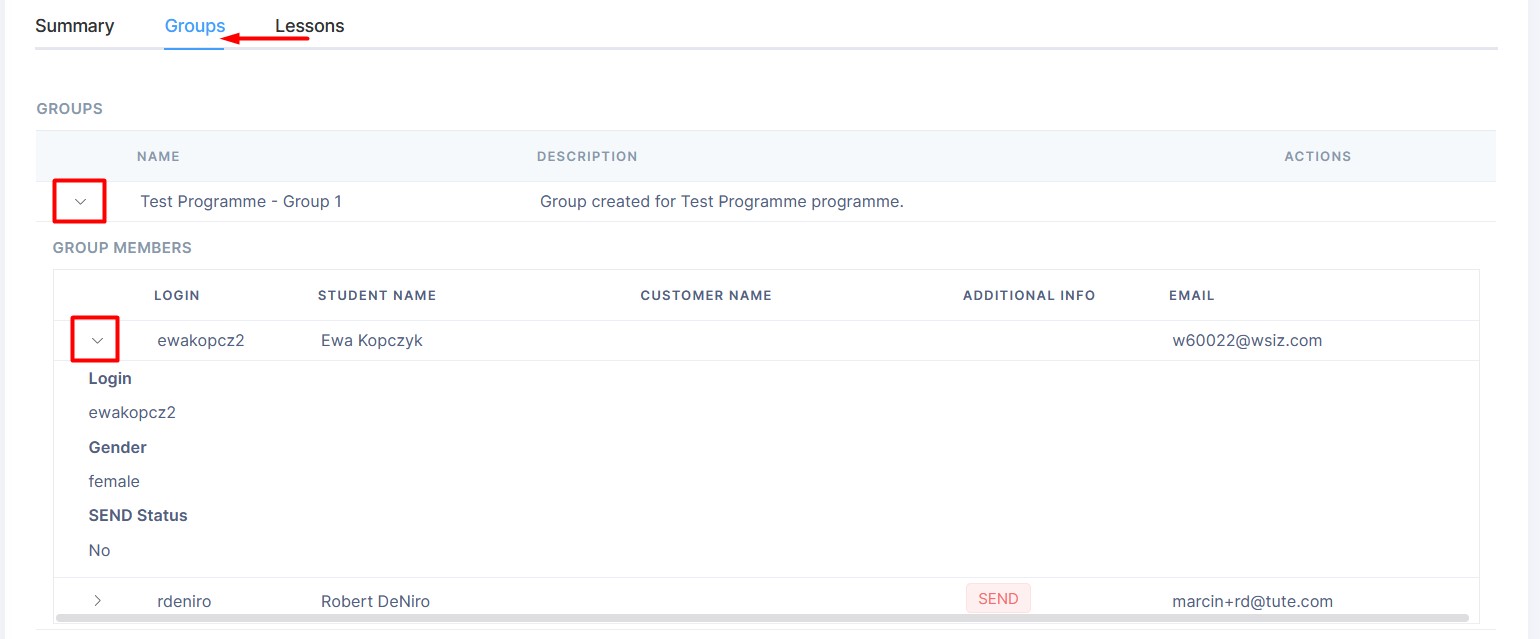
The Groups table shows all the Groups in the Programme. It show the Group name, description and available actions.
A click on the arrow icon on the left side of the Group name will expand the table to show all the Group Members. Another click on the arrow icon next to the Member name will expand the table to show the Member's details.
Lessons
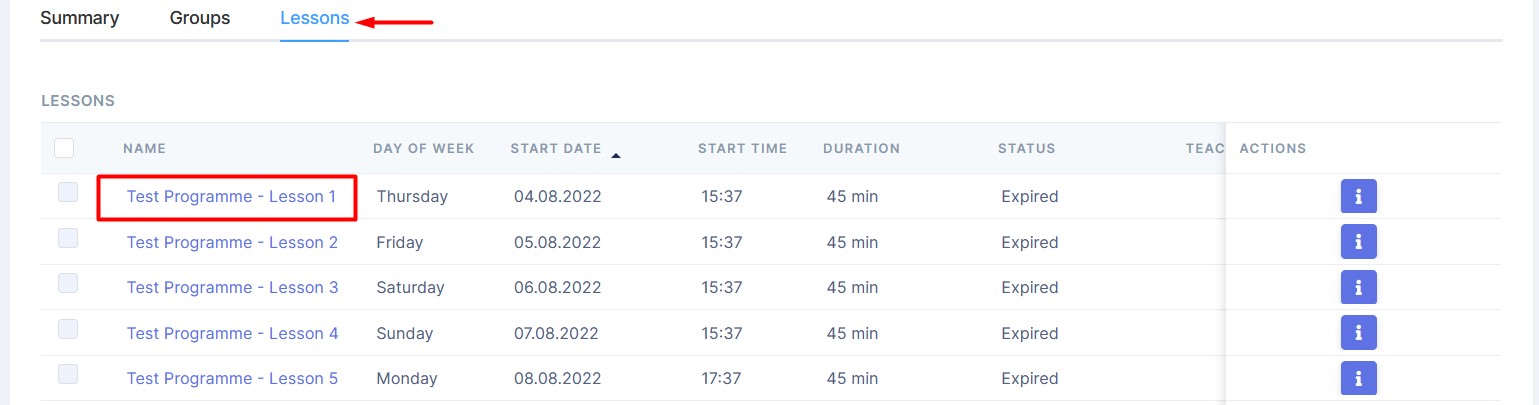
The Lessons table shows all the Lessons in the Programme. It shows the Lesson name, day of the week, start and end dates, time, duration, status and more.
Once you click on a Lesson name (in the first column) it will open the Lesson Details page. Same can be done by clicking on the 'info' icon in the Actions column.