Dashboard
Dashboard is the first screen that appears after login. It contains a Summary Table of all the Programmes divided by sections of Year Groups. The Summary Table shows the number of Subjects, Programs, Products and Students in each Year Group. It also shows percentage data rates for each Year Group.
It is a quick way to see the status of all the Programmes.
Navigate to Programme Details
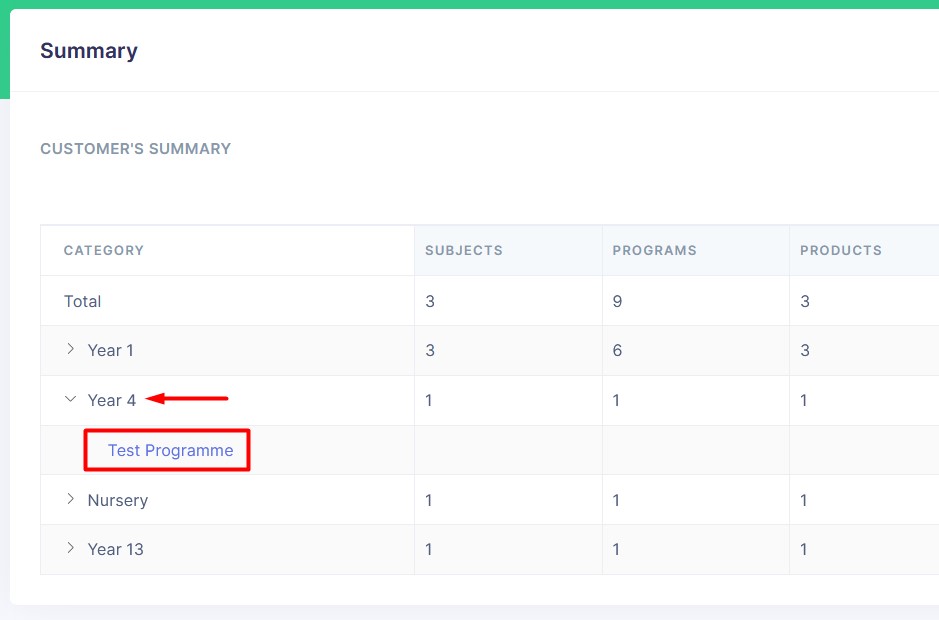
Once you click on a Year Group accordion, the Summary Table expands to show the number of Subjects, Programs, Products and Students in each Programme. A click on a Programme name (in the first column) will open the Programme Details page.
Switch Columns
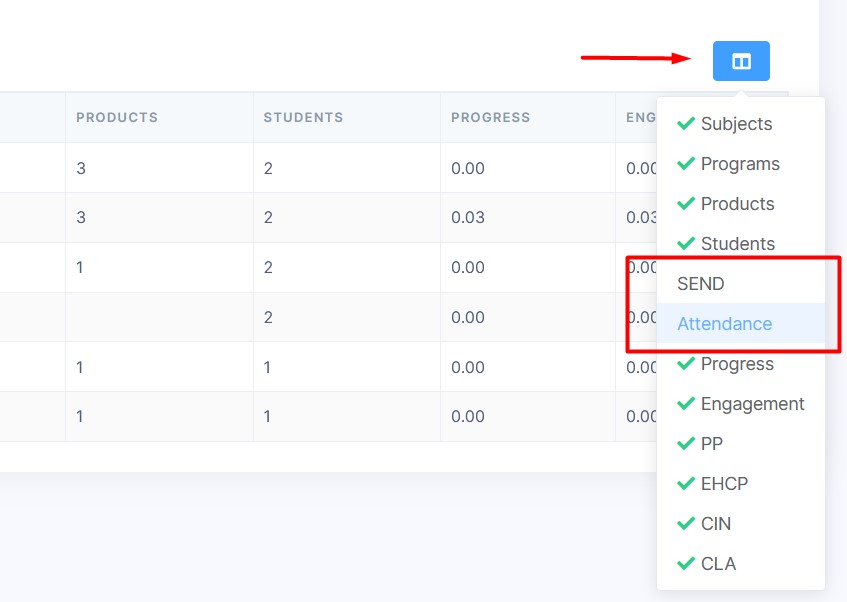
One you click on the Switch Columns button, a dropdown menu appears. You can select the columns you want to see in the Summary Table. The columns you select will be saved in your browser's local storage.
Sort Table
A click on one of the table headers will sort the table by that column. Clicking on the same header again will reverse the sort order.